Using Jaeger all-in-one
Jaeger is a popular open-source distributed tracing system. We use the all-in-one Docker image to collect and visualize traces for both DB and AI operations.
Docker Compose snippet:
jaeger:
  image: jaegertracing/all-in-one:latest
  ports:
    - "16686:16686"  # UI
    - "4317:4317"    # OTLP gRPC
Steps
-
Make sure your other services are running (ahnlich-db on 1369, ahnlich-ai on 1370).
-
Run Jaeger with:
docker-compose up -d jaeger
-
Open the Jaeger UI in your browser: http://localhost:16686
-
Select the service tracing-client to see traces from your Python workflow.
Example AI & DB Queries (from CLI)
DB Query Example
CREATESTORE db_store_20250915143036 DIMENSION 512
SET (([0.1, 0.1, ..., 0.1], {text: "This is the life of Alice"})) IN db_store_20250915143036
LISTSTORES
AI Query Example
CREATESTORE ai_store_20250915143036 QUERYMODEL all-minilm-l6-v2 INDEXMODEL all-minilm-l6-v2 PREDICATES (author, category)
SET ((["Jordan One"], {brand: Nike}), (["Yeezey"], {brand: Adidas})) IN ai_store_20250915143036
GETSIMN 4 WITH [Jordan One] USING cosinesimilarity IN ai_store_20250915143036
LISTSTORES
These queries create stores, insert data, and query similarity the operations we’ll automate in code.
Program Implementing the Queries
Click to Expand Code
import asyncio
import logging
from datetime import datetime
from grpclib.client import Channel


from ahnlich_client_py.grpc.services.ai_service import AiServiceStub
from ahnlich_client_py.grpc.services.db_service import DbServiceStub
from ahnlich_client_py.grpc.ai import query as ai_query
from ahnlich_client_py.grpc.ai import preprocess
from ahnlich_client_py.grpc.algorithm import algorithms
from ahnlich_client_py.grpc import keyval, metadata
from ahnlich_client_py.grpc.db import query as db_query


from opentelemetry import trace
from opentelemetry.sdk.resources import Resource
from opentelemetry.sdk.trace import TracerProvider
from opentelemetry.sdk.trace.export import BatchSpanProcessor
from opentelemetry.exporter.otlp.proto.grpc.trace_exporter import OTLPSpanExporter


# -------------------------
# Logging Setup
# -------------------------
logging.basicConfig(level=logging.INFO)
logger = logging.getLogger("tracing")


# -------------------------
# OpenTelemetry Setup
# -------------------------
resource = Resource.create({"service.name": "tracing-client"})
provider = TracerProvider(resource=resource)
exporter = OTLPSpanExporter(endpoint="http://localhost:4317", insecure=True)
provider.add_span_processor(BatchSpanProcessor(exporter))
trace.set_tracer_provider(provider)
tracer = trace.get_tracer(__name__)


# -------------------------
# Generate unique store names
# -------------------------
timestamp = datetime.now().strftime("%Y%m%d%H%M%S")
db_store_name = f"db_store_{timestamp}"
ai_store_name = f"ai_store_{timestamp}"


# -------------------------
# Main async workflow
# -------------------------
async def main():
   async with Channel(host="127.0.0.1", port=1369) as db_channel, \
              Channel(host="127.0.0.1", port=1370) as ai_channel:


       db_client = DbServiceStub(db_channel)
       ai_client = AiServiceStub(ai_channel)


       text = "This is the life of Alice"
       trace_id = f"similarity-workflow-{timestamp}"
       logger.info("[tracing] started similarity-workflow, trace_id=%s", trace_id)


       # -------------------------
       # Create DB Store
       # -------------------------
       with tracer.start_as_current_span("db.create_store"):
           try:
               create_db_req = db_query.CreateStore(
                   store=db_store_name,
                   dimension=512,
                   create_predicates=[],
                   non_linear_indices=[],
                   error_if_exists=False
               )
               await db_client.create_store(create_db_req)
               logger.info("DB Store created: %s", db_store_name)
           except Exception as e:
               logger.error("Failed to create DB store: %s", e)


       # -------------------------
       # Insert DB Entry
       # -------------------------
       with tracer.start_as_current_span("db.insert_entry"):
           try:
               vector = [0.1] * 512  # List of floats
               entry = keyval.DbStoreEntry(
                   key=keyval.StoreKey(key=vector),
                   value=keyval.StoreValue(
                       value={"text": metadata.MetadataValue(raw_string=text)}
                   )
               )
               set_req = db_query.Set(store=db_store_name, inputs=[entry])
               await db_client.set(set_req)
               logger.info("Inserted entry into DB store")
           except Exception as e:
               logger.error("Failed to insert DB entries: %s", e)


       # -------------------------
       # Create AI Store
       # -------------------------
       with tracer.start_as_current_span("ai.create_store"):
           try:
               from ahnlich_client_py.grpc.ai.models import AiModel


               create_ai_req = ai_query.CreateStore(
                   store=ai_store_name,
                   query_model=AiModel.ALL_MINI_LM_L6_V2,
                   index_model=AiModel.ALL_MINI_LM_L6_V2,
                   predicates=["author", "category"],
                   error_if_exists=False,
                   store_original=True
               )
               await ai_client.create_store(create_ai_req)
               logger.info("AI Store created: %s", ai_store_name)
           except Exception as e:
               logger.error("Failed to create AI store: %s", e)


       # -------------------------
       # Insert AI Entries
       # -------------------------
       with tracer.start_as_current_span("ai.insert_entries"):
           try:
               ai_entries = [
                   keyval.AiStoreEntry(
                       key=keyval.StoreInput(raw_string="Jordan One"),
                       value=keyval.StoreValue(
                           value={"brand": metadata.MetadataValue(raw_string="Nike")}
                       ),
                   ),
                   keyval.AiStoreEntry(
                       key=keyval.StoreInput(raw_string="Yeezey"),
                       value=keyval.StoreValue(
                           value={"brand": metadata.MetadataValue(raw_string="Adidas")}
                       ),
                   )
               ]
               set_ai_req = ai_query.Set(
                   store=ai_store_name,
                   inputs=ai_entries,
                   preprocess_action=preprocess.PreprocessAction.NoPreprocessing
               )
               await ai_client.set(set_ai_req)
               logger.info("Inserted entries into AI store")
           except Exception as e:
               logger.error("Failed to insert AI entries: %s", e)


       # -------------------------
       # AI Similarity Query
       # -------------------------
       with tracer.start_as_current_span("ai.get_sim_n"):
           try:
               search_input = keyval.StoreInput(raw_string="Jordan One")
               ai_sim_req = ai_query.GetSimN(
                   store=ai_store_name,
                   search_input=search_input,
                   closest_n=4,
                   algorithm=algorithms.Algorithm.CosineSimilarity,
                   preprocess_action=preprocess.PreprocessAction.NoPreprocessing
               )
               ai_response = await ai_client.get_sim_n(ai_sim_req)
               logger.info("AI similarity response received")
               print(ai_response)
           except Exception as e:
               logger.error("AI similarity call failed: %s", e)


       # -------------------------
       # List DB Stores
       # -------------------------
       with tracer.start_as_current_span("db.list_stores"):
           try:
               stores = await db_client.list_stores(db_query.ListStores())
               logger.info("DB Stores: %s", stores)
           except Exception as e:
               logger.error("Failed to list DB stores: %s", e)


       # -------------------------
       #  List AI Stores
       # -------------------------
       with tracer.start_as_current_span("ai.list_stores"):
           try:
               ai_stores = await ai_client.list_stores(ai_query.ListStores())
               logger.info("AI Stores: %s", ai_stores)
           except Exception as e:
               logger.error("Failed to list AI stores: %s", e)


if __name__ == "__main__":
   asyncio.run(main())
Code Explanation
-
OpenTelemetry Setup
- Creates a tracer provider, sets service name as
tracing-client, and exports spans to Jaeger via OTLP gRPC.
- Creates a tracer provider, sets service name as
-
Unique Store Names
- Ensures every workflow run has new DB and AI stores using a timestamp.
-
DB Operations
-
CreateStore→ Creates a vector store. -
Set→ Inserts a numeric vector with metadata. -
ListStores→ Retrieves DB stores in the requested schema, orpublicwhen schema is omitted.
-
-
AI Operations
-
CreateStore→ Creates an embedding AI store. -
Set→ Inserts text entries with metadata. -
GetSimN→ Queries the AI store for closest matches using cosine similarity. -
ListStores→ Retrieves AI stores in the requested schema, orpublicwhen schema is omitted.
-
-
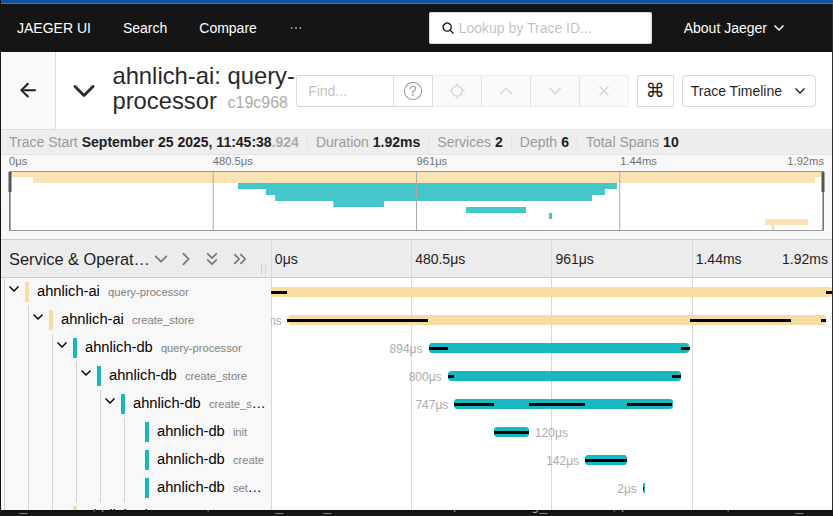
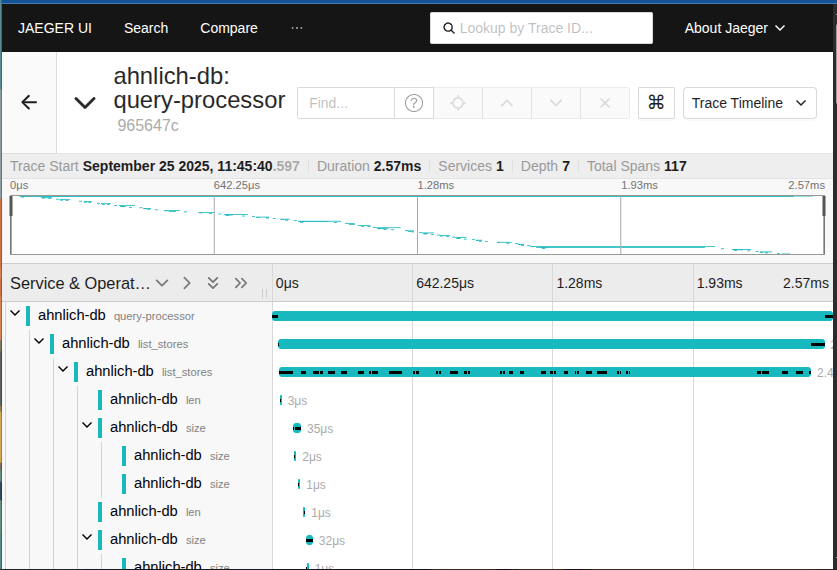
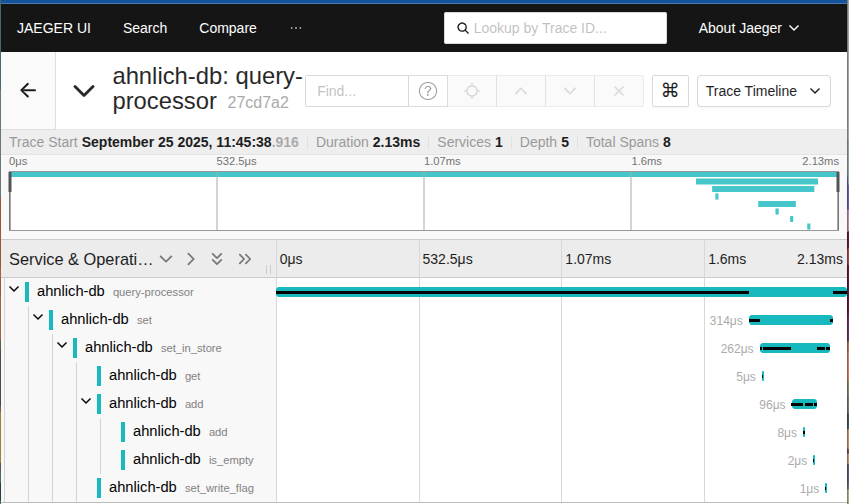
Tracing Spans
- Every operation wrapped in
tracer.start_as_current_span()generates a trace span in Jaeger, giving start/end time, logs, and events.
- Every operation wrapped in
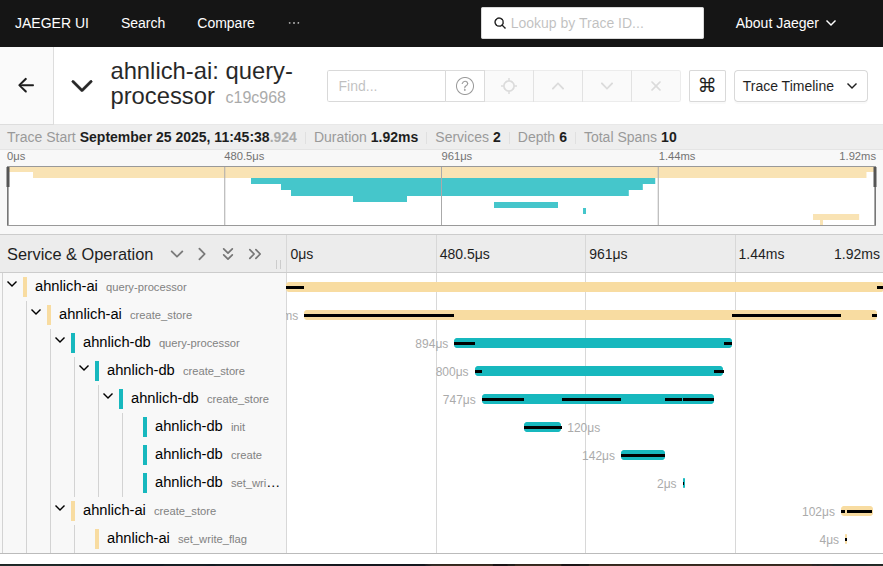
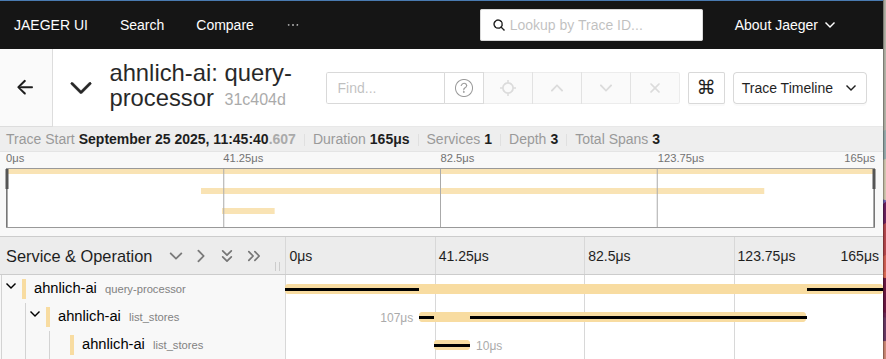
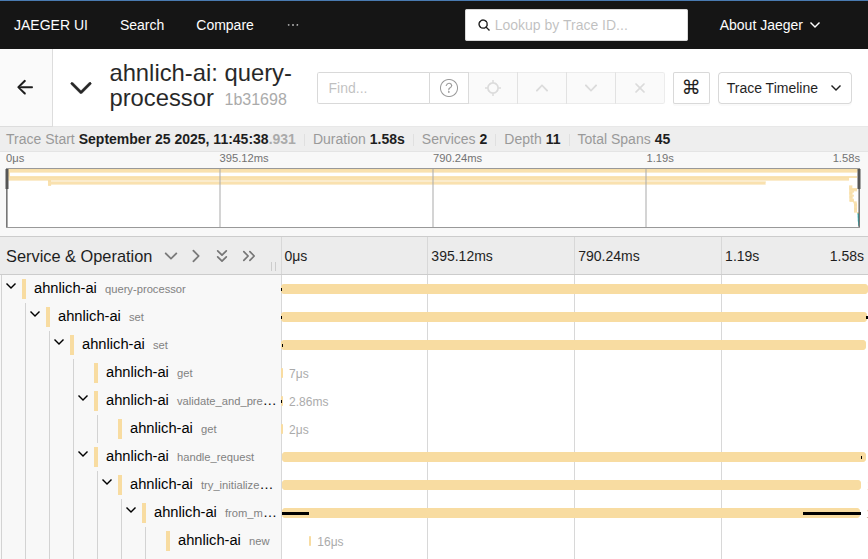
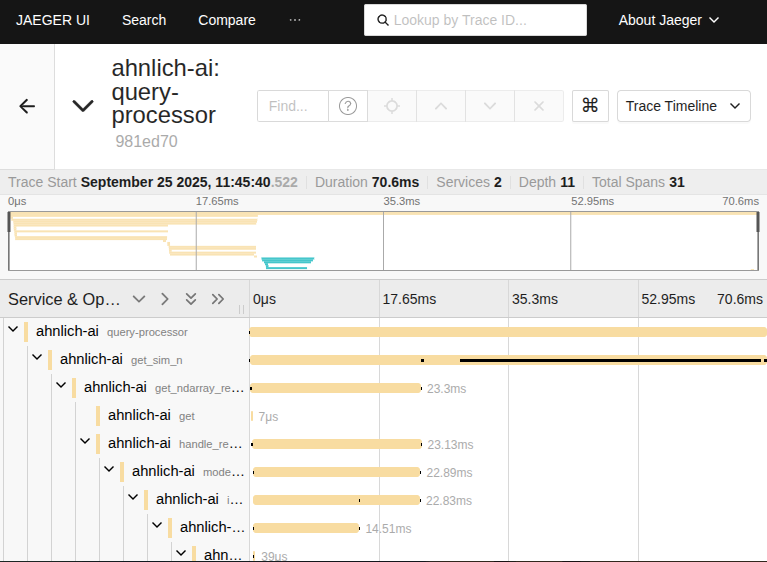
Viewing Spans in Jaeger
-
Open Jaeger UI: http://localhost:16686
-
In Service, select
tracing-client. -
Click Find Traces You’ll see spans for each step:
-
db.create_store -
ai.create_store -
ai.get_sim_n -
db.list_stores -
ai.list_stores
-
-
Expand each span to see:
-
Start/end times
-
Logs and events
-
Metadata from the operation
-
Example spans captured from a run might include DB Store created: db_store_20250915143036 and AI similarity response received.